> For the complete documentation index, see [llms.txt](https://docs.yoplanning.support/llms.txt). Markdown versions of documentation pages are available by appending `.md` to page URLs; this page is available as [Markdown](https://docs.yoplanning.support/de/yoplanning-academy/yoplanning-parametrage/channel-manager/connectivite-native-getyourguide.md).
# GetYourGuide Native Connectivity
## Native GetYourGuide-Konnektivität
## Präsentation
Die native GetYourGuide-Konnektivität ermöglicht die automatische Synchronisierung Ihrer Verfügbarkeit und Buchungen zwischen GetYourGuide und Yoplanning.
## Verbinde dein GetYourGuide-Konto
1. Öffnen Sie **Administration > Konfiguration > Online-Verkauf**.
2. Klicken Sie auf **Getjogetaillo verbinden**.
3. Folgen Sie den von GetYourGuide bereitgestellten Verbindungsschritten.
## Aktivieren Sie die Produkte auf GetYourGuide.
1. Öffnen Sie **Administration > Produkte**.
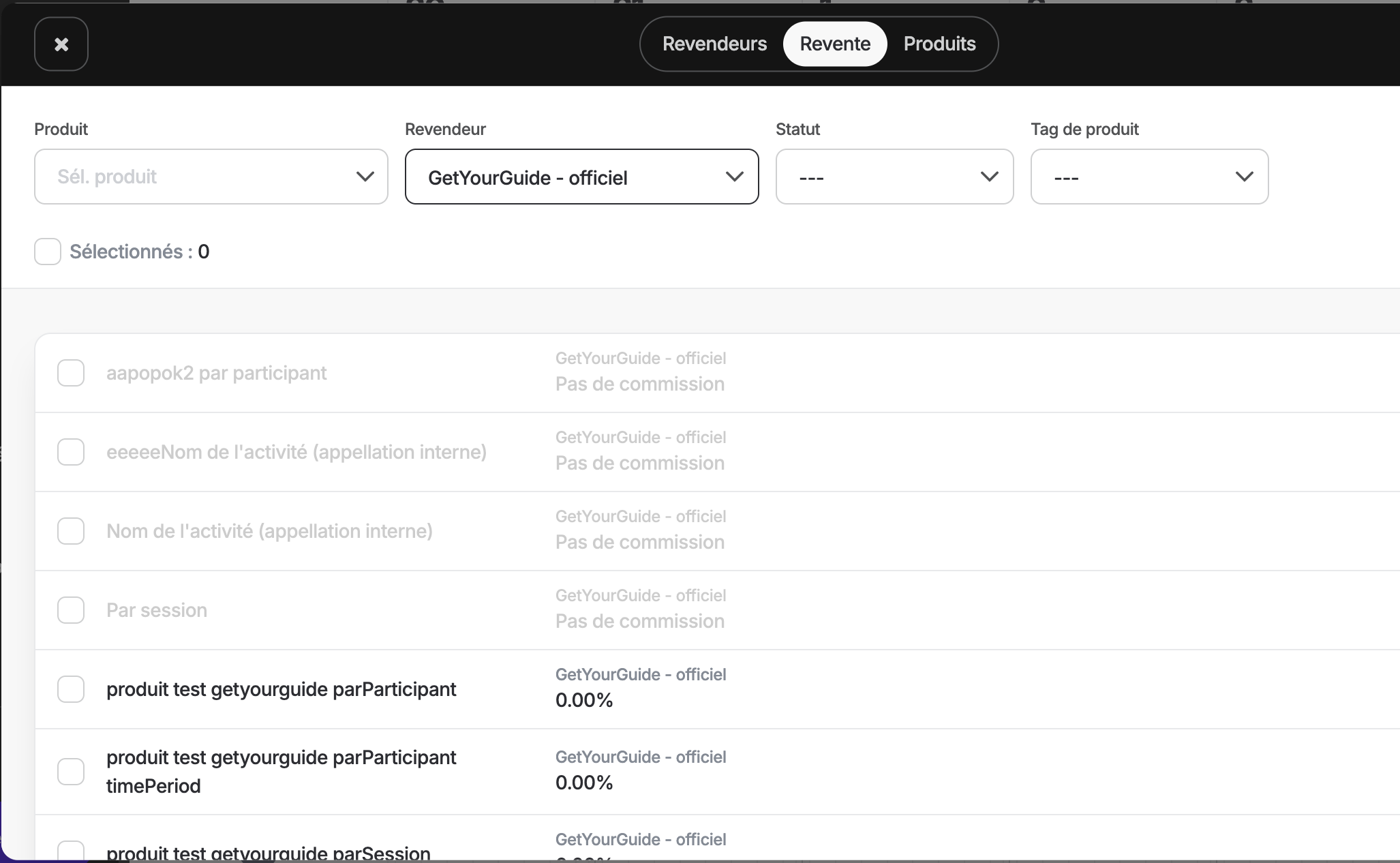
2. Klicken Sie auf den Reiter **Wiederverkauf**.
3. Wählen Sie den **offiziellen GetYourGuide**-Händler aus.
4. Aktivieren Sie die zum Verkauf stehenden Produkte auf GetYourGuide.
5. Konfigurieren Sie gegebenenfalls Ihre Gebühren und Provisionen.
## Verknüpfung eines GetYourGuide-Produkts mit Yoplanning
Erstellen Sie Ihren Produkteintrag bei GetYourGuide, falls dieser noch nicht existiert.
Um das Produkt mit Yoplanning zu verknüpfen:
1. Wählen Sie in GetYourGuide **Yoplanning** als Buchungssystem aus. [Siehe die GYG-Dokumentation](https://supply.getyourguide.support/hc/en-us/articles/18008029689373-Connecting-a-New-Product-to-Your-Reservation-System-Inbound-Connector)
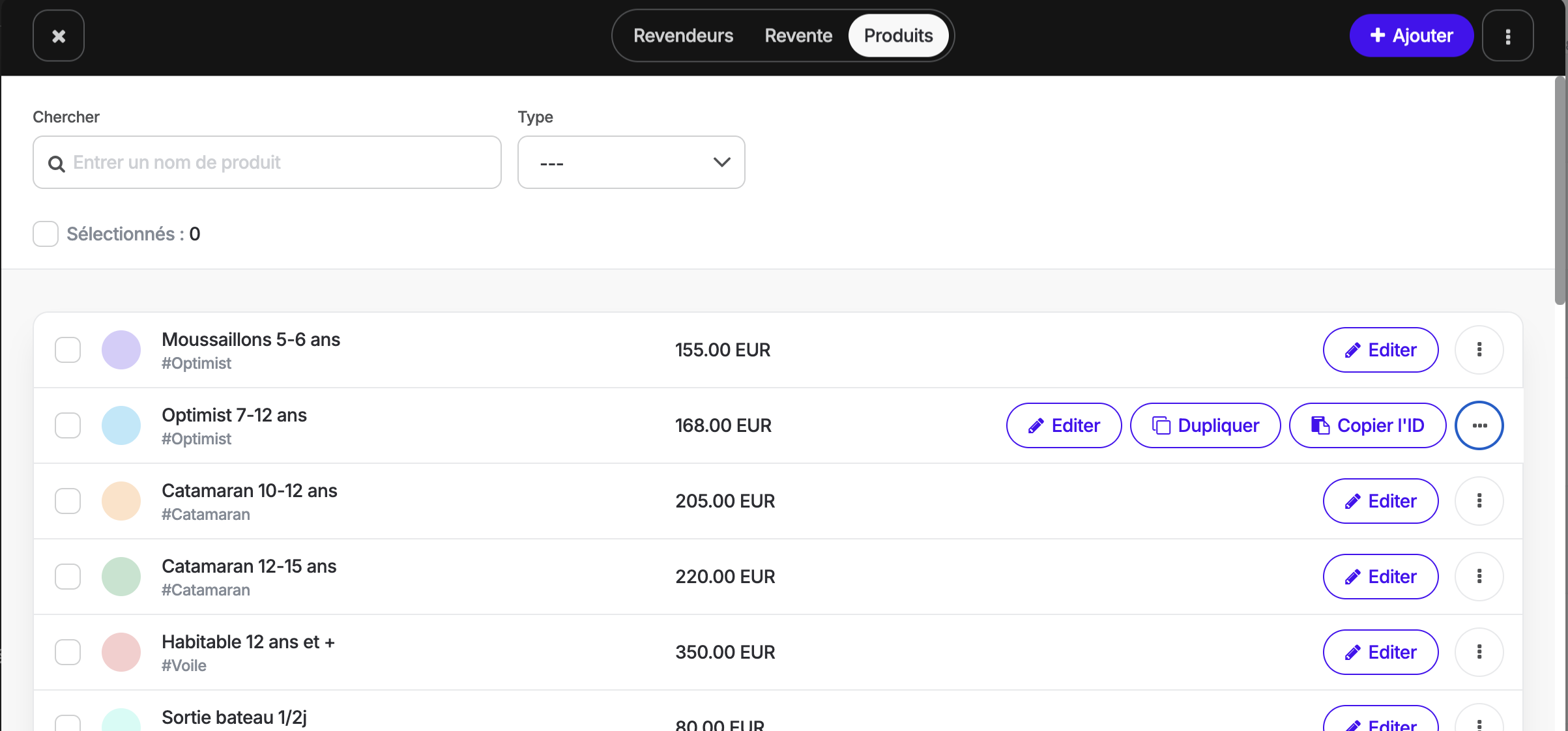
2. Die Produkt-ID von Yoplanning abrufen:
* Öffnen Sie **Administration > Produkte**.
* Klicken Sie auf das **Drei-Punkte**-Menü des Produkts.
* Kopieren Sie die Produkt-ID.
3. Fügen Sie diese ID in das von GetYourGuide angeforderte Feld ein.
Sobald die Verbindung hergestellt ist, werden Reservierungen und Verfügbarkeiten automatisch synchronisiert.
## Häufige Probleme
### Produkt nicht auf GetYourGuide sichtbar
Prüfen Sie, ob das Produkt unter **Produkte > Verkauf > GetYourGuide Official** aktiviert ist.
### Identifikatorfehler
Prüfen Sie, ob die von Yoplanning kopierte ID exakt mit der in GetYourGuide eingegebenen ID übereinstimmt.
### Nicht synchronisierte Reservierungen
Prüfen Sie, ob das Produkt in den GetYourGuide-Verbindungseinstellungen korrekt mit Yoplanning verknüpft ist.
---
# Agent Instructions
This documentation is published with GitBook. GitBook is the documentation platform designed so that both humans and AI agents can read, navigate, and reason over technical content effectively. Learn more at gitbook.com.
## Querying This Documentation
If you need additional information that is not directly available in this page, you can query the documentation dynamically by asking a question.
Perform an HTTP GET request on the current page URL with the `ask` query parameter, and the optional `goal` query parameter:
```
GET https://docs.yoplanning.support/de/yoplanning-academy/yoplanning-parametrage/channel-manager/connectivite-native-getyourguide.md?ask=&goal=
```
`ask` is the immediate question: it should be specific, self-contained, and written in natural language.
`goal` is optional and describes the broader end goal you are ultimately trying to accomplish on behalf of the user. GitBook uses it to tailor the answer towards what is most useful for that goal.
The response will contain a direct answer to the question and relevant excerpts and sources from the documentation.
Use this mechanism when the answer is not explicitly present in the current page, you need clarification or additional context, or you want to retrieve related documentation sections.